What is an Aesthetic Fonts Generator?
With an aesthetic font generator, normal text can be converted into unique Unicode-based text. These aren't real font files, but rather coded characters that can be easily copied and pasted anywhere to appear as aesthetic fonts.
Behind the scenes, most modern tools are built using technologies like JavaScript. In many cases, React or Next.js frameworks are used to make the generator fast, responsive, and smooth for users.
These creative letters are widely used on Instagram, Facebook, Twitter, Discord, and WhatsApp for bios, captions, and comments. They are also popular in gaming, where users create unique usernames for games like PUBG, Free Fire, and Fortnite.
The tool lets you create eye-catching posts, bios, captions, or usernames from ordinary text. Once you get a feel for these styles, you can also explore Fancy Fonts for even more creative variations to match different moods and themes.
Universal
Works anywhere Unicode is supported—no installs required.
Instant
Zero-latency generation thanks to React-based architecture.
Creative
Access 120+ styles from gothic to vaporwave.
How Does This Aesthetic Text Generator Work?
Using an aesthetic generator is very simple. Neither design expertise nor technical knowledge is required. Just follow these quick steps to create free aesthetic font styles instantly:
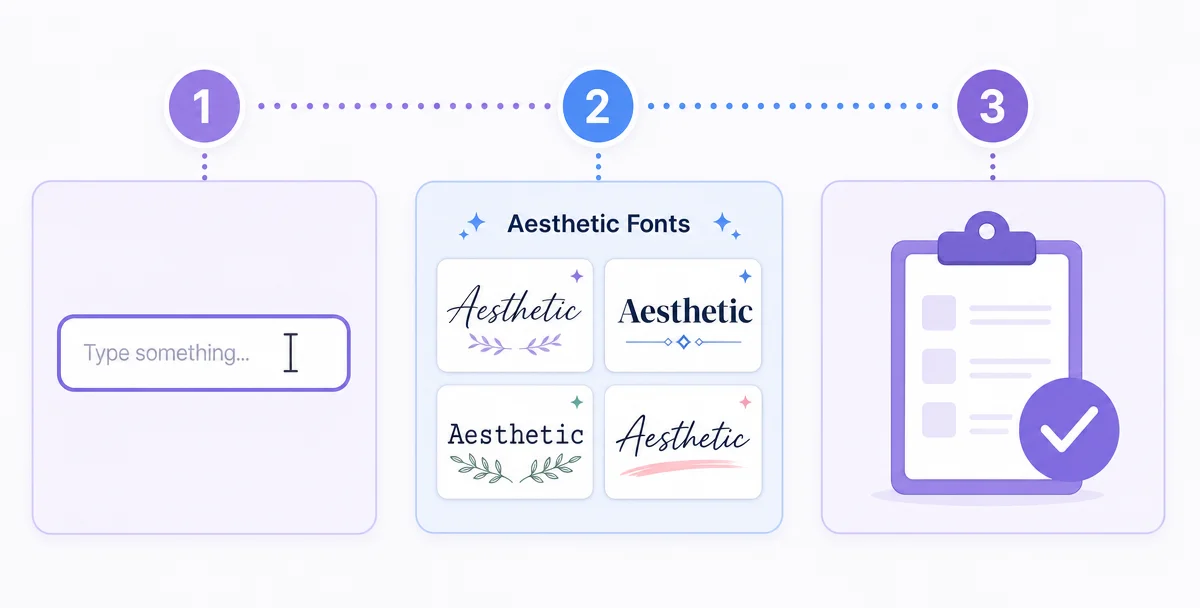
1
Type Your Text
Fill out the input box with your text. The tool instantly creates multiple styles as you type.
2
Choose Your Style
Scroll through different special aesthetic fonts like soft, dark, or decorative text and pick the one you like.
3
Copy & Paste
By tapping on a style, you can copy it instantly, then paste it anywhere like Instagram bios, comments, chats, or even as unique usernames in games like PUBG and Free Fire.
Choose From 120+ Aesthetic Font Styles
Here's the interesting part: these 120+ aesthetic font styles give you multiple ways to style your text based on where and how you want to use it. From clean and professional looks to bold, decorative designs, every style is built for a specific purpose.
For example, if you're styling content for social media, you can explore Instagram Fonts that are commonly used for bios, captions, and short-form content.
All styles are fast, mobile-responsive, and easy to copy and paste using Unicode characters for quick text decoration.
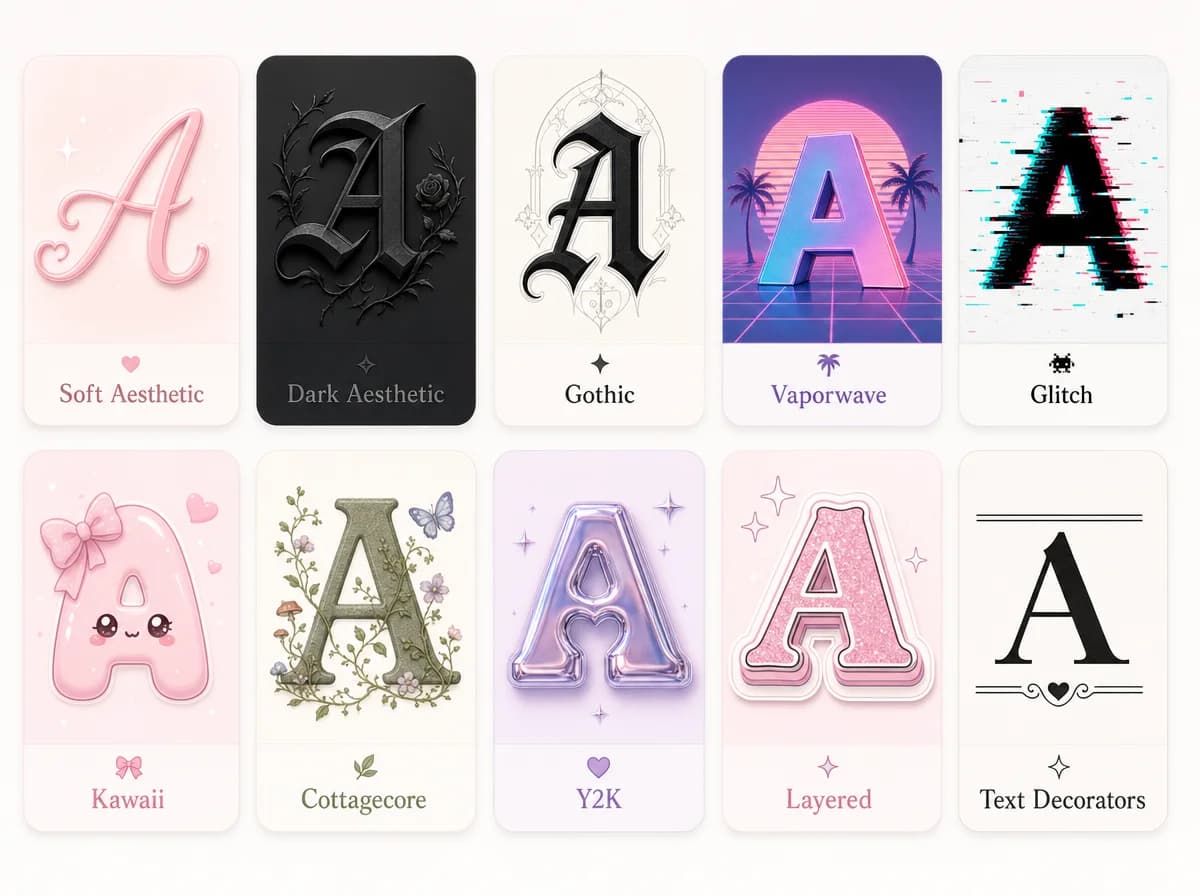
1. Soft Aesthetic
Light, smooth, and calming Unicode styles. Ideal for quotes, bios, and content where you want a clean and peaceful look. These are similar to cursive fonts which give a flowing and elegant feel to your text.
2. Dark Aesthetic
Minimal but bold styles with a darker tone. Perfect for moody captions, profile names, and subtle edgy content.
3. Gothic
Heavy, sharp, and dramatic text styles. Commonly used in gaming usernames, edgy branding, and standout profiles.
4. Vaporwave
Retro-inspired styles with spaced-out Unicode characters. Best for nostalgic, vintage, and aesthetic-themed content. This style is perfect for those who love Vintage Fonts and classic retro designs.
5. Glitch
Distorted and broken-looking text using Unicode effects. Works well for dark themes, gaming, and experimental visuals.
6. Kawaii
Playful and cute styles with soft decorative elements. Great for fun captions, usernames, and lighthearted content.
7. Cottagecore
Nature-inspired, soft aesthetic fonts that feel warm and simple. Ideal for lifestyle content and cozy themes.
8. Y2K
Early 2000s-inspired styles with a bold and shiny look. Popular for trendy posts and nostalgic digital aesthetics.
9. Layered
Text styles with multiple Unicode effects combined. Helps create depth and a more designed, standout appearance.
10. Text Decorators
Styles focused on underline, spacing, and symbol-based text decoration to highlight important words without changing the core font.
Accessibility Note: These styles use Unicode characters, which may not be fully readable by screen readers. Use them for visual styling only, not for important information.
Where Can Aesthetic Fonts Be Used?
Aesthetic text styles work across the most popular social media, messaging, and digital platforms. The following are some places where they can be useful:
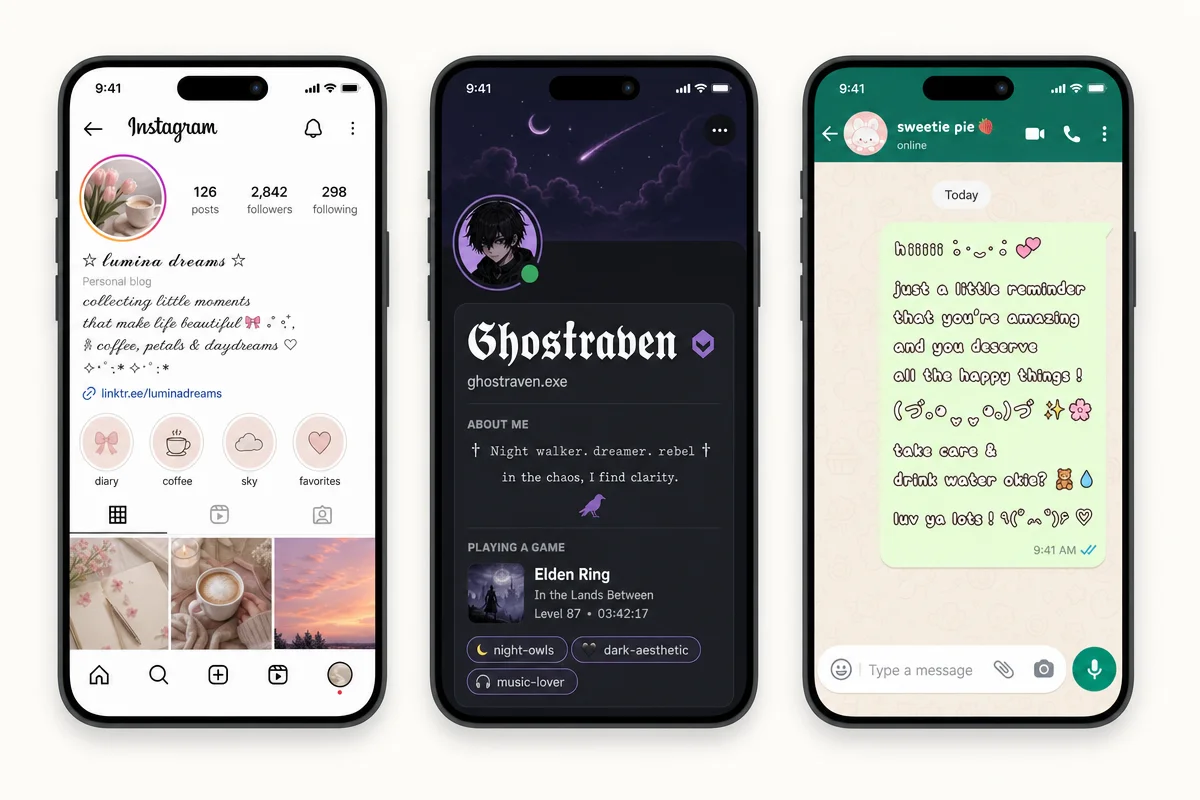
Instagram
Make your Bio stand out, create catchy Reels captions, and style your Stories or comments.
TikTok & Social Clips
Use aesthetic text for Video descriptions and Profile intros to grab attention. For TikTok-specific styles, our tiktok font generator also covers display names, bios, and comments.
Gaming (PUBG, Free Fire, Roblox)
Create unique, uncopyable Nicknames and Clan tags that reflect your gaming style. Many gamers also use Discord fonts to style their server names and roles.
Messaging (WhatsApp & Telegram)
Personalize your status updates and send bold, creative messages to friends.
Professional Profiles (LinkedIn & X)
Use minimalist styles for Headlines or Tweets to maintain a clean yet creative look. For X specifically, try our twitter font generator.
Streaming & Video (YouTube & Twitch)
Add flair to your Channel About section and make your Comments more visible.
Snapchat & Visual Stories
Enhance your Snaps with decorative overlays and create a memorable Profile Name that your friends will notice instantly.
Reddit & Community Forums
Make your Posts stand out in crowded subreddits and use attractive text in comments or your User Profile to build a unique online identity.
Creative Writing (Medium & Blogs)
Add a personal touch to your Article intros, use aesthetic styles for Signatures, or highlight specific Headings in your blog posts for a custom look.
Advanced Gaming (Steam, Fortnite, & Oblivion)
Stand out in the lobby with Special Character Nicknames, unique Display Names, and creative Bios that reflect your gaming personality.
Messaging Apps (Wechat & Signal)
Level up your Channel names, customize Group descriptions, and send high-impact Encrypted messages.
Web Design & Emails
Use these characters for creative Email Subject Lines to improve open rates, or add them to your Website's Paragraphs for a stylized brand feel.
Note:Some platforms may filter special characters. If a font style doesn't appear correctly, try a simpler variation.
05 Common Mistakes to Avoid When Using Aesthetic Fonts
Using aesthetic text is simple, but avoid these common mistakes:
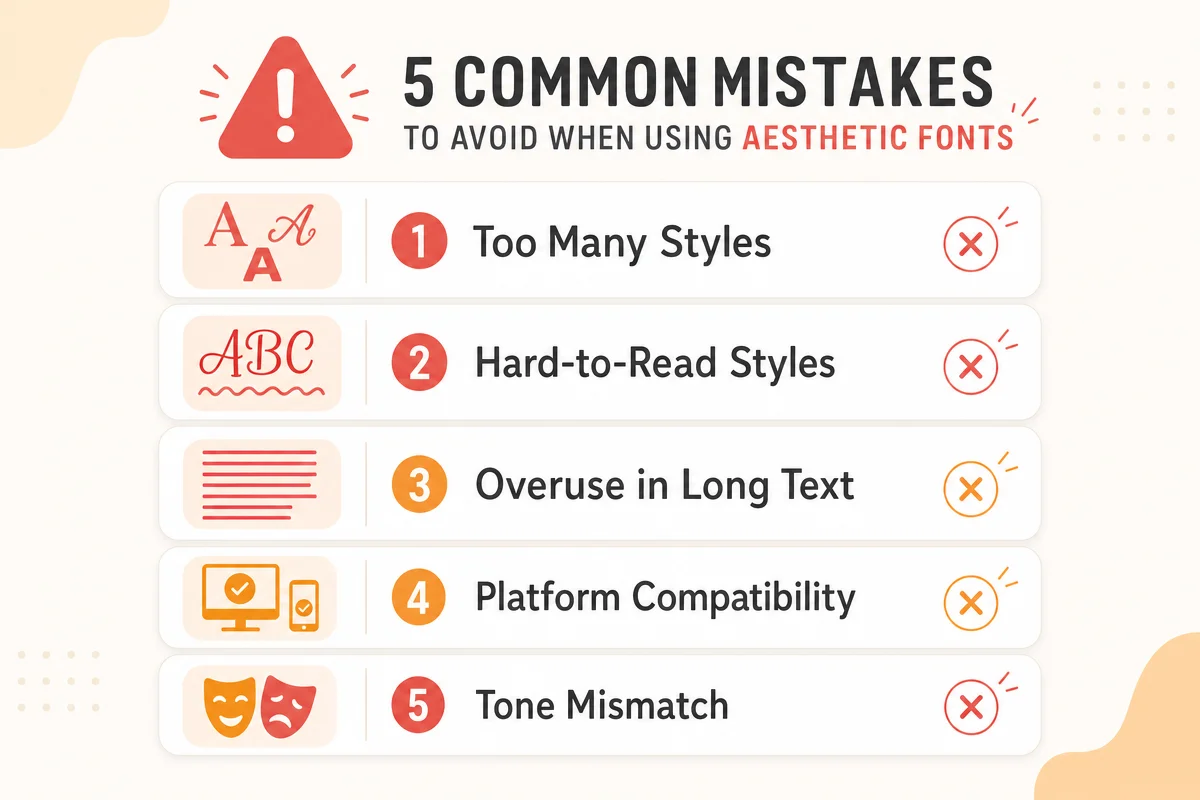
- Too Many Styles: A sentence that contains too many styles can look cluttered and confusing.
- Hard-to-Read Styles: The use of hard-to-read styles reduces engagement and readability.
- Overuse in Long Text: Overusing decorative text in long paragraphs makes content difficult to follow.
- Platform Compatibility: Ignoring platform compatibility (Instagram, Facebook, WhatsApp, TikTok, YouTube, Gaming usernames) can result in broken text.
- Tone Mismatch:Copying styles that don't match your content tone can feel out of place.
Pro Tip: Use decorative styles wisely. Too many effects can reduce readability, especially on mobile screens. Keep it simple for better results.
Aesthetic Font Generator vs Installing Real Fonts
Generating fonts vs. installing fonts has a big difference:
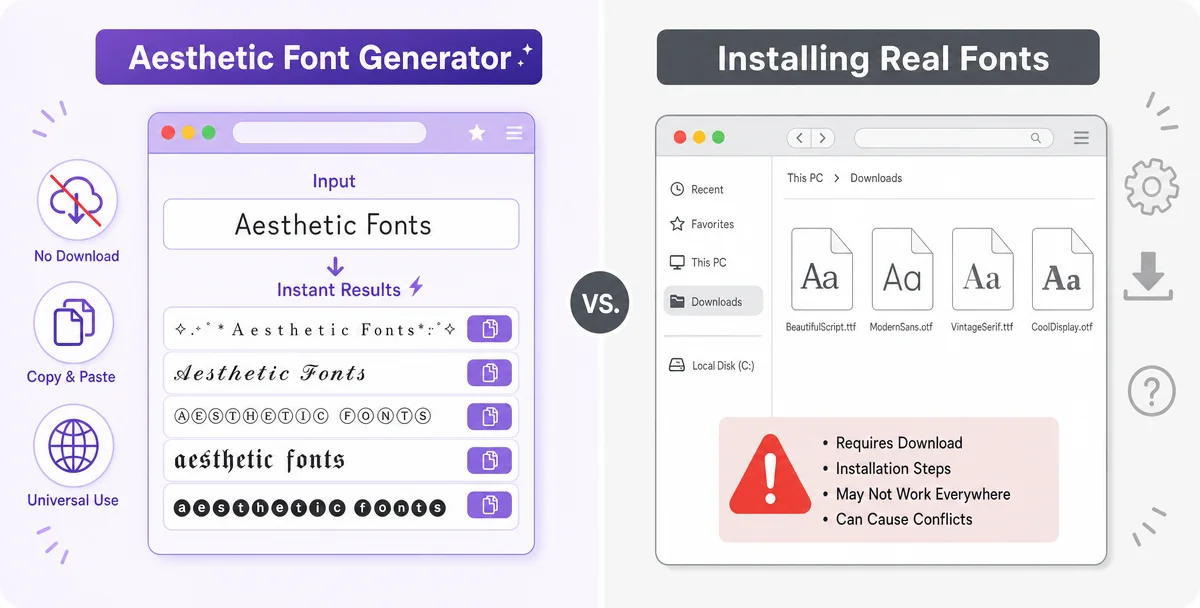
Comparison: Generator vs. Real Fonts| Feature | Aesthetic Font Generator | Installing Real Fonts |
|---|
| Installation | No installation needed | Requires download & installation |
| Social Media | Works instantly on Instagram, Facebook, WhatsApp, TikTok, YouTube, Gaming usernames | Works in software like Word, Photoshop, or design apps |
| Customization | Limited customization options | Full customization & style control |
| Ease of Use | Easy to use for quick posts | Ideal for professional projects & consistent branding |
| Accessibility | Accessible on any device | Only usable on devices where fonts are installed |